Chrome extension

Save jobs and spot visa sponsors without leaving the job board.

See which employers can sponsor your visa while you search, check any company’s licence, and save roles to your tracker in one click.

In your search results

Spot visa sponsors as you scroll.

A badge appears under each employer on LinkedIn, Indeed and Glassdoor: UK sponsor, NL sponsor, or possible sponsor when the name is a close match. Skip the roles that can't sponsor you before you open them.
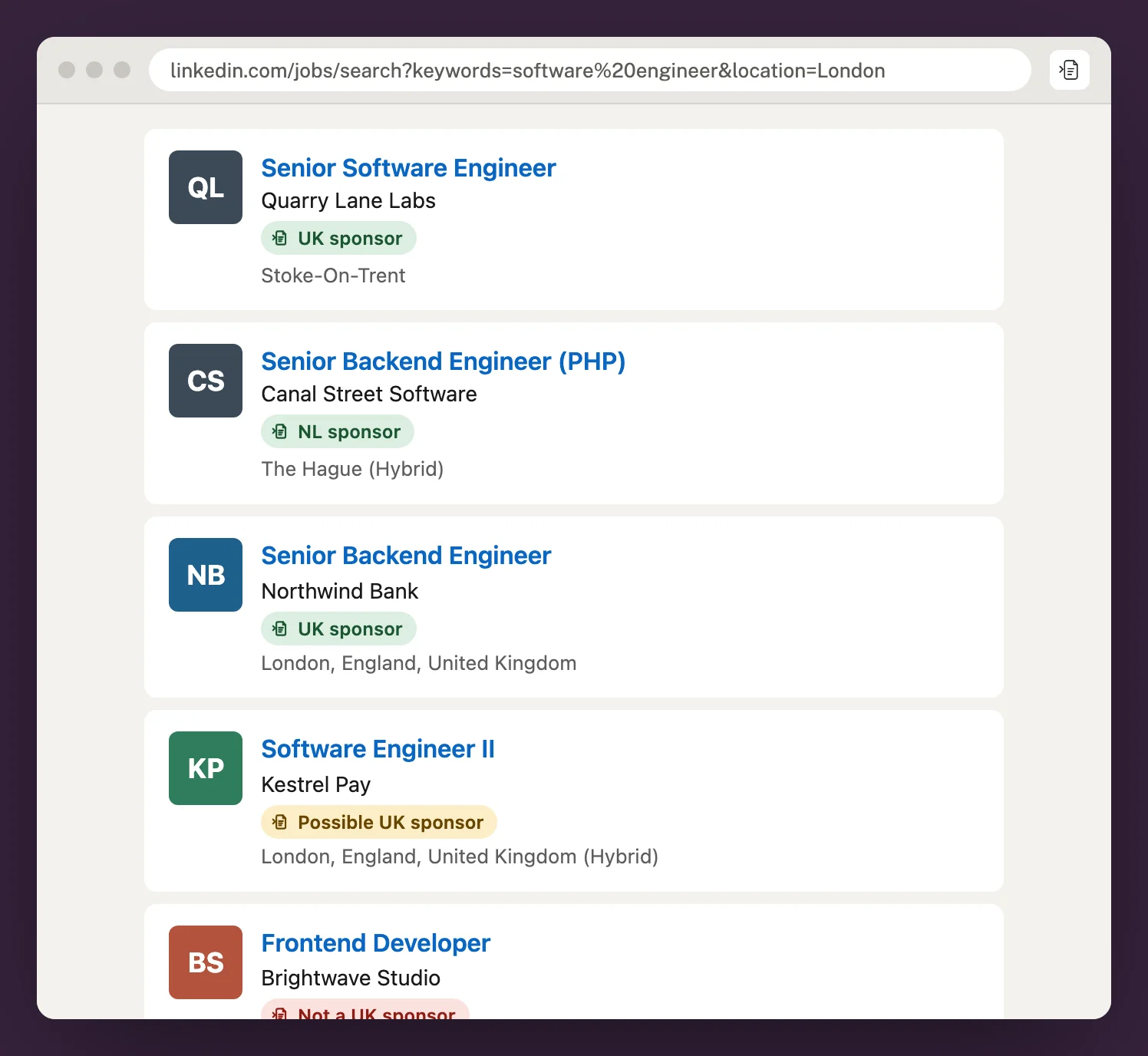
LinkedIn search results with green UK sponsor and NL sponsor badges under each employer, and an amber possible sponsor badge.

On the job page

Check the employer’s sponsor licence.

Open the extension on any job to see whether the employer is on the Home Office or Dutch register, the licence it holds, and whether the ad itself mentions sponsorship.
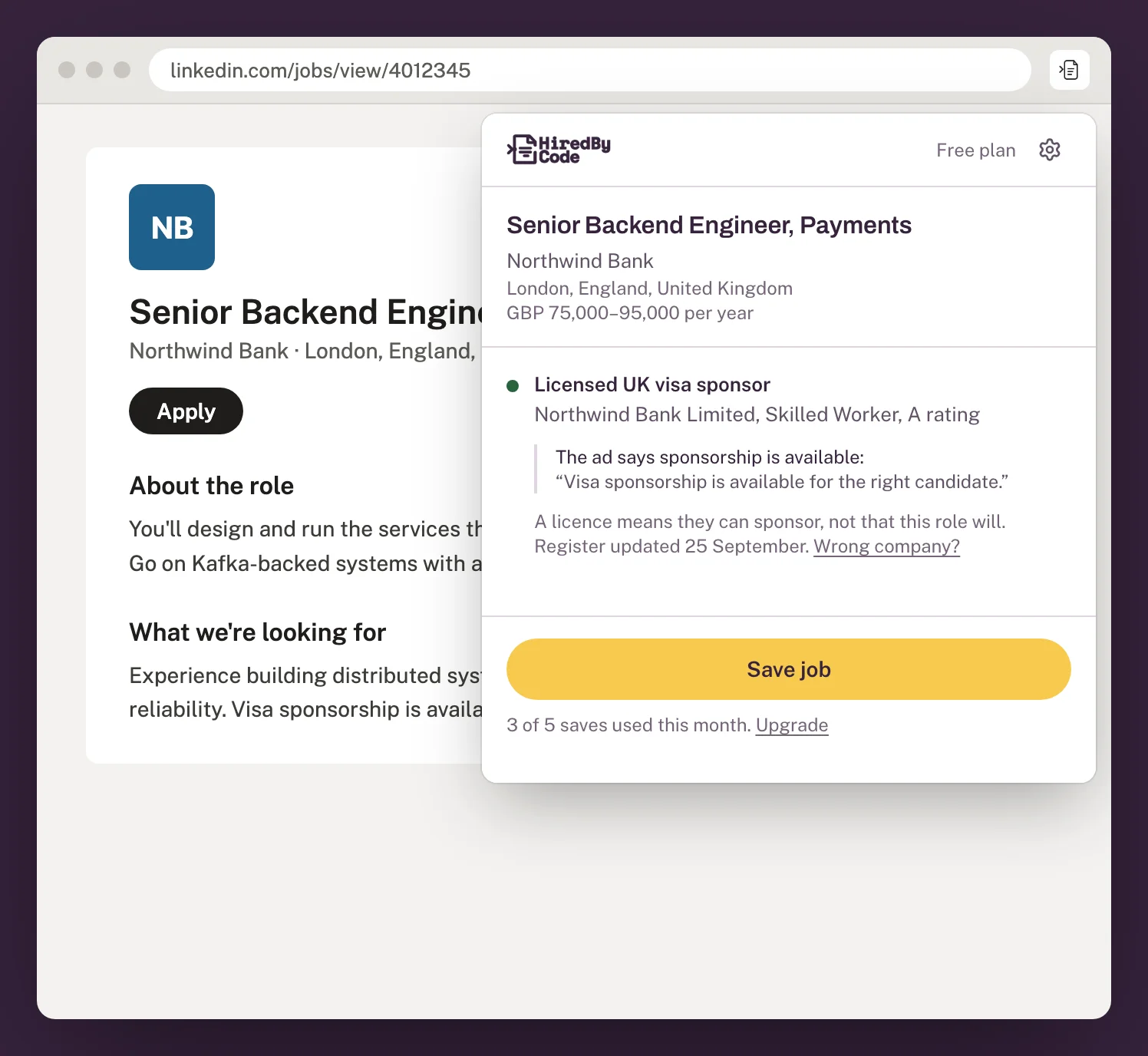
The Hired By Code extension on a LinkedIn job, showing a licensed UK visa sponsor with a Skilled Worker A rating and a Save job button.

One click

Save the job and see how you match.

Save adds the role to your Hired By Code tracker and scores it against your profile, so you know where you stand before you tailor a CV.
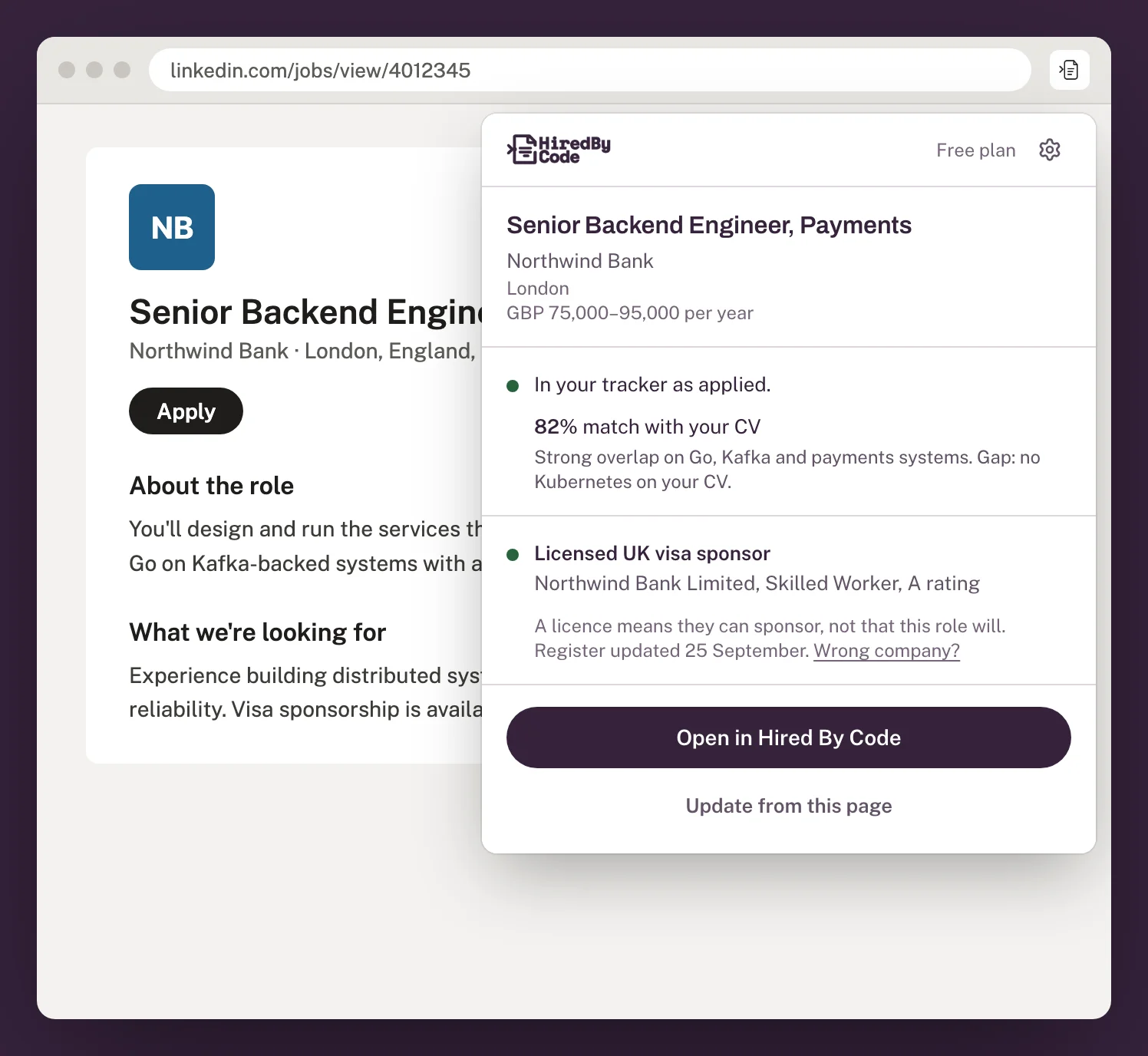
The extension showing a saved job with an 82% match with your CV, the skills that overlap and a gap to address.

Small things that save time.

Knows what you’ve saved

Open a job you already have and it shows its stage in your tracker, with a link straight to it.

Tells you when it’s ready

A notification lets you know when the job is saved and matched, so you can keep browsing.

Always a shortcut away

Press Alt+Shift+H (Option+Shift+H on a Mac) to open it from any tab.

Honest about sponsorship

A licence means an employer can sponsor, not that this role will. Every check says so, and shows the register name it matched.

Works where you search

The big job boards and the careers pages behind them.

Sponsor badges appear on LinkedIn, Indeed and Glassdoor. Saving and sponsor checks work on all of these, and on most company careers pages.

  • LinkedIn
  • Indeed
  • Glassdoor
  • Reed
  • Totaljobs
  • CV-Library
  • ZipRecruiter
  • Monster
  • Dice
  • Wellfound
  • Built In
  • We Work Remotely
  • Remote.co
  • SimplyHired
  • CareerBuilder
  • Workday
  • Greenhouse
  • Lever
  • Ashby
  • SmartRecruiters
  • Workable
  • iCIMS
  • Jobvite
  • BambooHR
  • Recruitee
  • Breezy HR
  • JOIN

On every plan

Free to install.

Sponsor badges and checks are unlimited. Each job you save counts towards your plan’s job imports.

Free
5 saves a month
Pro
50 saves a month
Premium
300 saves a month
Compare plans

Common questions

Is the extension free?
Yes. It works with any Hired By Code account, including the free plan. Saving a job counts towards your plan’s job imports; sponsor checks and badges don’t.
What does it read?
The job page you’re on when you open it or press save, and employer names in search results to show sponsor badges. It sends a page to Hired By Code only when you save the job.
Does a sponsor badge mean the job offers sponsorship?
No. It means the employer is on the UK or Dutch sponsor register. Check the listing and confirm the role’s terms with the employer.
What if a site isn’t listed?
Open the extension on the page anyway: it reads most company careers pages. If it can’t, paste the job description into Hired By Code instead.

Search on the job board. Apply with Hired By Code.

Add the extension, save the roles worth your time, then tailor your CV from your profile.